

VCR and tapes
The VCR takes your own video files and plays them onto a television, the same way a console does. It runs on libVLC, so it handles a wide range of formats including x265/HEVC.
Getting a tape
Section titled “Getting a tape”Put video files into the videos/ folder:
- Windows —
%USERPROFILE%\retroxr\videos - Linux / macOS —
~/retroxr/videos - Quest —
/sdcard/Android/data/com.xenu.retroxr/files/videos
Recognized: .mp4, .mkv, .avi, .webm, .mov.
Watching something
Section titled “Watching something”- Open
SPAWN→ Videos and click a file. A VHS tape spawns carrying it — the same way a cartridge carries a ROM. - From Objects, spawn a VCR and a TV.
- Run the VCR’s A/V lead into the TV. See plugging things in.
- Push the tape into the slot.
- Press PLAY.
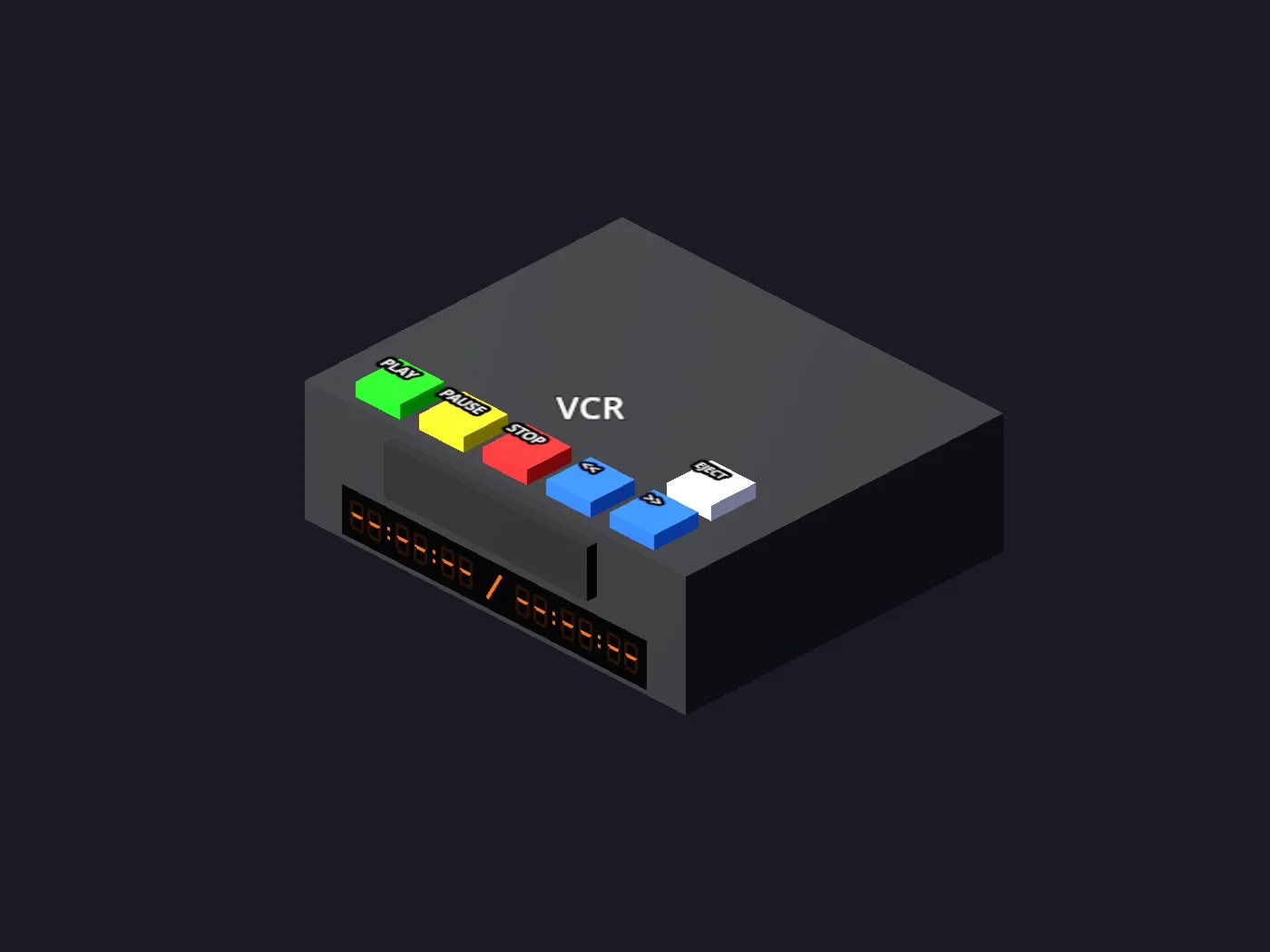
The buttons
Section titled “The buttons”| Button | Does |
|---|---|
PLAY PAUSE |
Transport |
STOP |
Stops, and ejects to a blank deck |
<< >> |
Rewind and fast-forward |
The deck has a glowing counter display, because of course it does.
You can also drive it from across the room with the TV remote.
Sound and picture
Section titled “Sound and picture”The video renders onto whichever TV the VCR is plugged into, and the television’s own volume and power buttons control it — exactly as they do for a console. Picture but no sound is usually the set’s volume, not the deck’s.