

PSP
The PlayStation Portable — the PSP-1000, 480×272 widescreen.
The power switch has to be held
Section titled “The power switch has to be held”This is the detail people trip over, and it is faithful: the PSP’s power switch is a slider you hold, not a button you press.
| Action | How long |
|---|---|
| Power on | Hold the switch at the end of its travel for about one second |
| Power off | Hold it for three seconds |
It springs back the moment you let go, exactly like the real one. A quick flick does nothing at all — which is correct behavior, not an unresponsive control.
Media is the UMD, and it does not go in a slot on top — it loads through a door on the back edge.
- Spawn a game from
SPAWN→ Games. - Release the UMD door with the latch on the back edge.
- Put the disc in and close the door.
- Hold the power switch until it comes on.
The latch is a sprung slide, not a button — you push it along the edge, the door pops,
and the latch springs straight back. It is the same mechanism as the power switch, but
with no hold: it fires the moment it reaches the end of its throw. The shell prints
OPEN ———▷ beside it with the arrow pointing the way it slides.
The latch reports intent rather than position, so the door opens every time. Pushing it shut again is the door’s own job.
The controls
Section titled “The controls”The full shell models each control as its own part: the ✕ ○ □ △ face diamond, the d-pad, the analog nub, the L and R shoulders, Start, Select and Home, the volume ± and sound/display keys, the slide power switch, the eject latch and the UMD door.
The face buttons follow the same glyph-position convention as everything else in RetroXR:
| PSP | RetroPad |
|---|---|
| ✕ | B — confirm |
| ○ | A — back |
| □ | Y |
| △ | X |
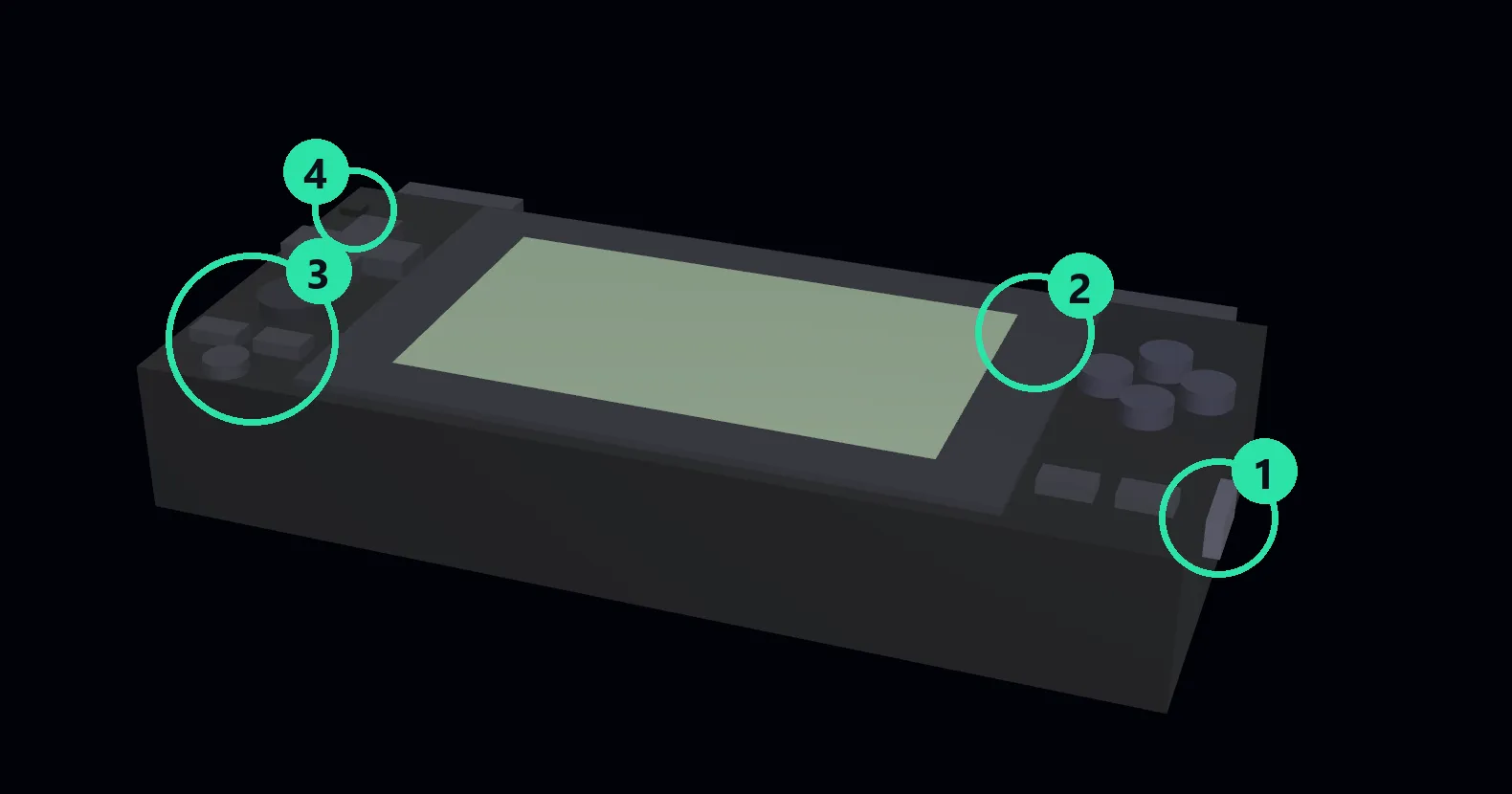
① Power switch — the slider you hold. ② OPEN — the sprung UMD latch. ③ Volume − / +. ④ Power LED.
The face buttons, d-pad and analog nub are the gameplay controls and behave as you would expect; the four above are the ones with behavior worth knowing about.
Set the default in CORES → Manager — see downloading and managing
cores.