

Desktop controls
With no VR headset detected, RetroXR falls back to a desktop mode driven by mouse and keyboard. Everything in the room still works — you are just reaching into it with a cursor instead of your hands.
Moving and looking
Section titled “Moving and looking”| Input | Does |
|---|---|
W A S D |
Move |
| Mouse | Look |
Ctrl (hold) |
Crouch |
Caps Lock (hold) |
Walk — slower, for fine positioning |
Handling things
Section titled “Handling things”| Input | Does |
|---|---|
| Left-click | Grab or pick up whatever is under the cursor |
Ctrl + Left-click |
Drop the held object |
| Scroll wheel | Push or pull the held object along the view ray |
| Middle-mouse drag | Rotate the held object in place |
Tab |
Toggle the spawn menu |
Two objects — the ray gun and the TV remote — snap to a fixed position on screen
while held, the way an FPS weapon does. Those need Ctrl + Left-click to drop; a plain
click will not do it, and the scroll wheel does nothing while they are snapped. Everything
else drops on a plain click too.
If you are holding the ray gun, left-click fires it rather than grabbing.
Playing a game
Section titled “Playing a game”When a running system has input focus, the keyboard acts as a retro joypad. The current
mapping is always visible under the CONTROLS tab:
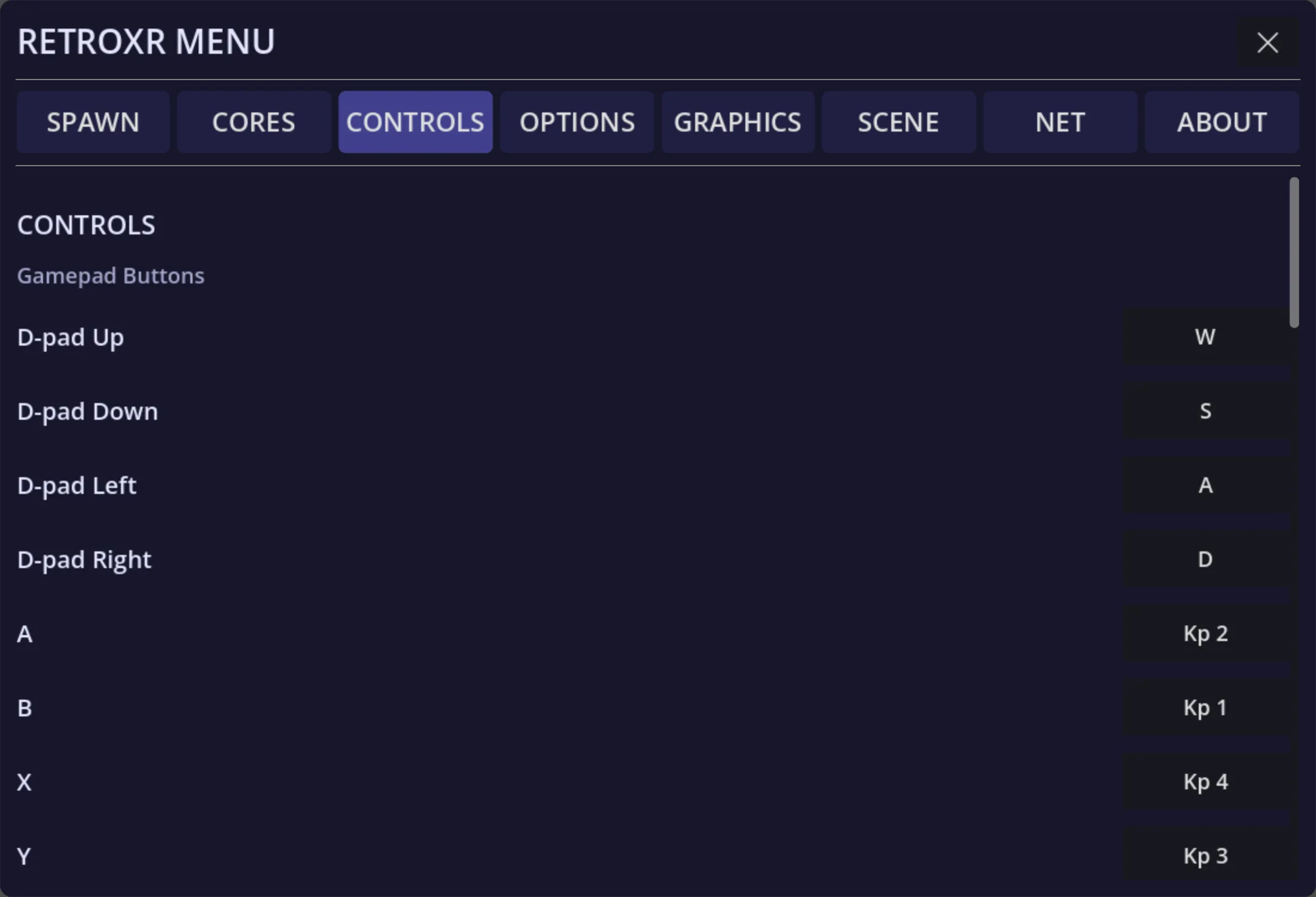
| Control | Keys |
|---|---|
| D-pad | W A S D |
| Face buttons | Numpad 1=B, 2=A, 3=Y, 4=X |
| Shoulders | L = Q / R / Numpad 3 · R = E / Y / Numpad 6 |
| Triggers | L2 = Z · R2 = X |
| Stick clicks | L3 = C · R3 = V |
| Select / Start | Shift / Enter |
| Left stick | T G F H — up, down, left, right |
| Right stick | I K J L — up, down, left, right |
A real gamepad plugged into the PC works too, and is a great deal more pleasant — see controllers and peripherals.
Reading a book
Section titled “Reading a book”With a book held: E turns to the next page, Q to the previous one.